
Get more out of your models.
IFCLint checks your IFC models, corrects and enriches them, and turns them into data you can actually work with. In the browser, simple and intuitive.
5 %
- Load IFC file
- Analyse metadata
- Check test sets (0/12)
- Generate BCF issues
- Generate report
More than an IFC checker
There are plenty of IFC checkers, free ones too. They show what is in the model. IFCLint checks against the requirements actually agreed in the project — and lets you keep working with the model afterwards.
From model to reliable data — in four steps
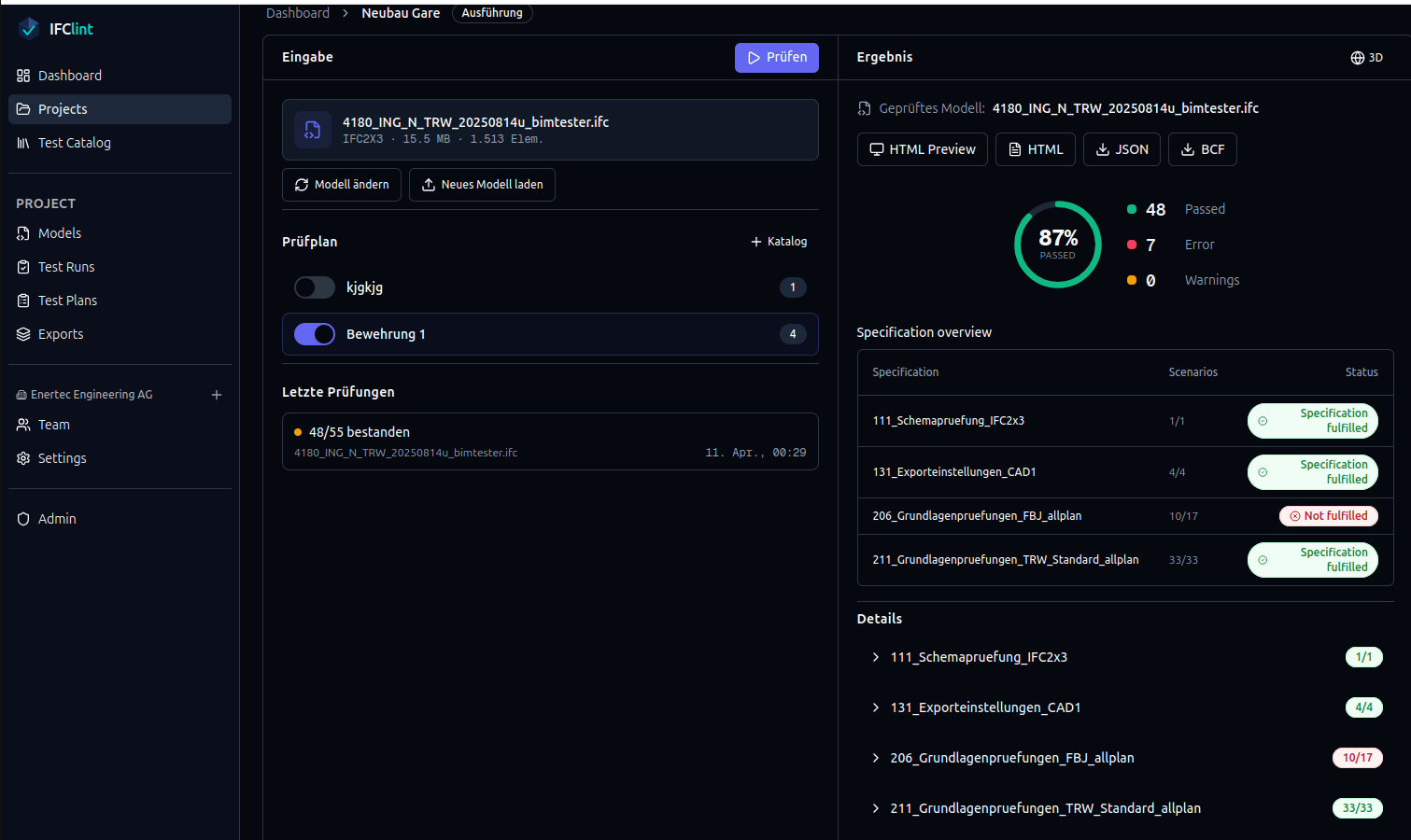
Check
Check IFC models: upload and validate against IDS 1.0 or your own rules. Results with score, 3D view and report.
- Validation against IDS 1.0 or your own checksets
- 3D viewer with highlighting
- Report as HTML, PDF, JSON or BCF
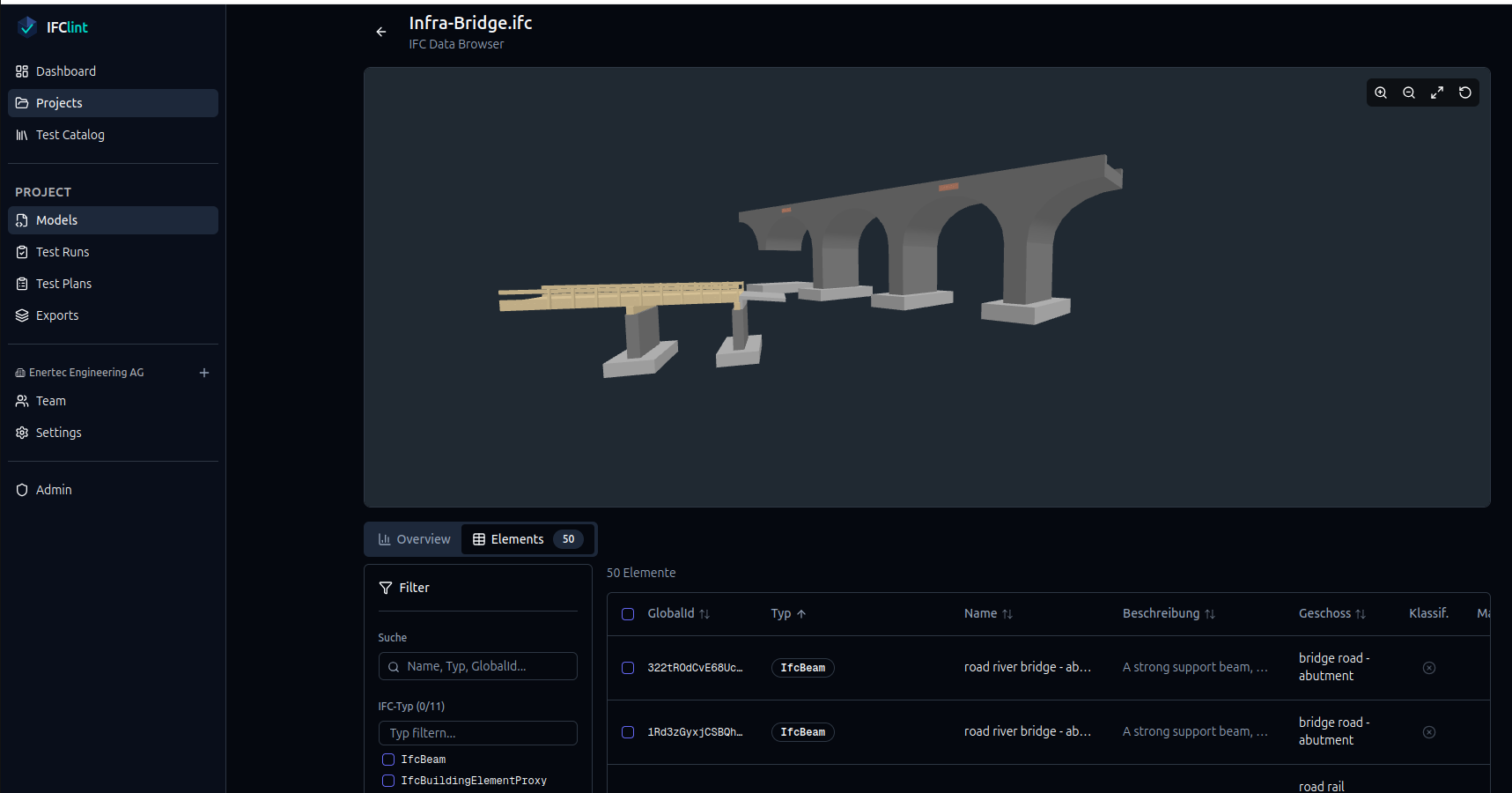
Correct
Fix properties, property sets and quantities right in the browser. Fill missing required data with auto-fix from the IDS.
- Property editor with preview
- Auto-fix of missing required properties from the IDS
- Every change as a new model version, original kept intact
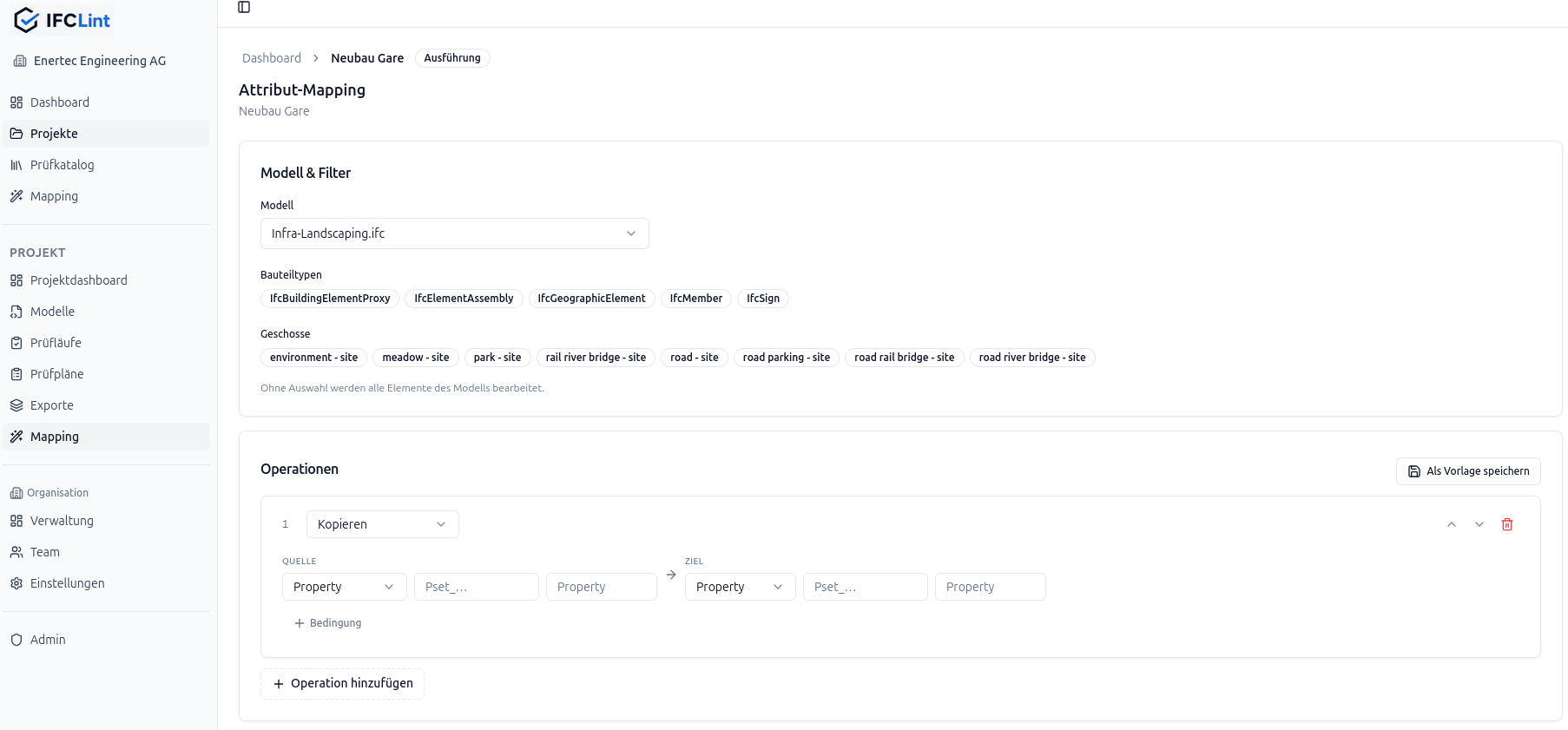
Enrich
Fill in what the model is missing: materials, key values, classifications and product data are written to the elements rule-based. Set up once as a template, the same logic applies to every following model.
- Enrich entire element groups at once — filtered, not one by one
- Take values from tables and lists, including existing project data
- Templates and alias lists, reusable org-wide
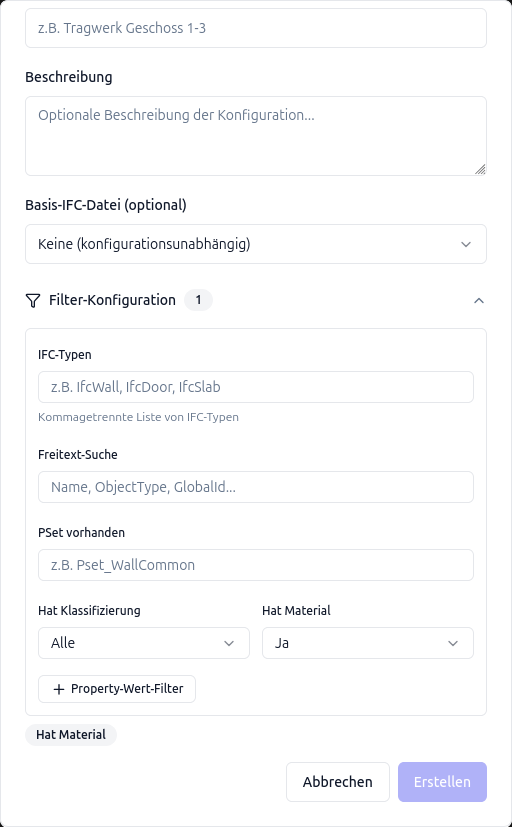
Work with the model
Clean data for cost estimation and quantities. Export partial models and BCF. Site-ready models for BIM2Field.
- Partial model export by filter
- BCF 2.1 for Solibri, BIMcollab and others
- Structured quantities, ready to use
Sustainability
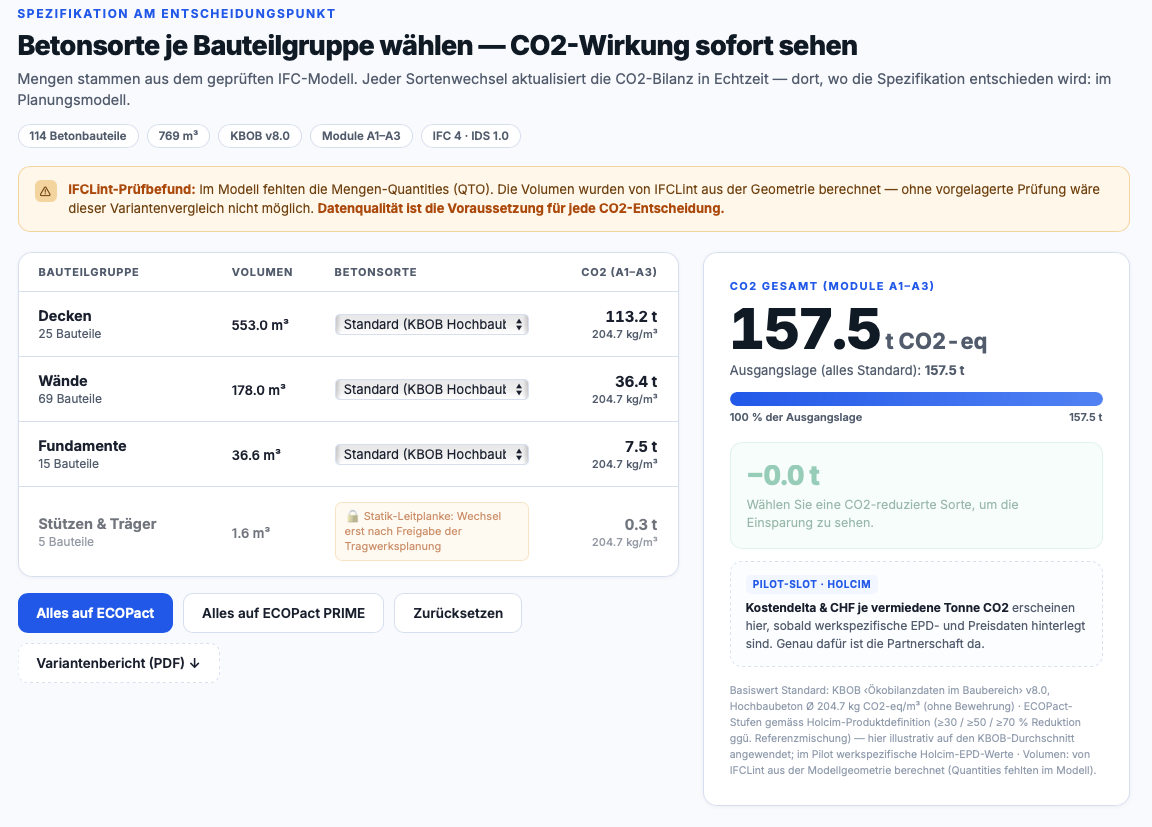
Write KBOB and EPD lifecycle data per material into the model and make CO₂ visible — for variant comparisons already in design.
Who IFCLint is built for
BIM coordinators
Make incoming deliveries reliable fast and hand them on cleanly.
Planners and specialist offices
Check, correct and enrich your own models before handover.
Owners and public sector
Define delivery requirements as IDS, distribute them and evidence compliance on every handover.
Manufacturers and suppliers
Make product data available where the specification is decided — with evidence for the requirements ahead.
When model quality has to be evidenced
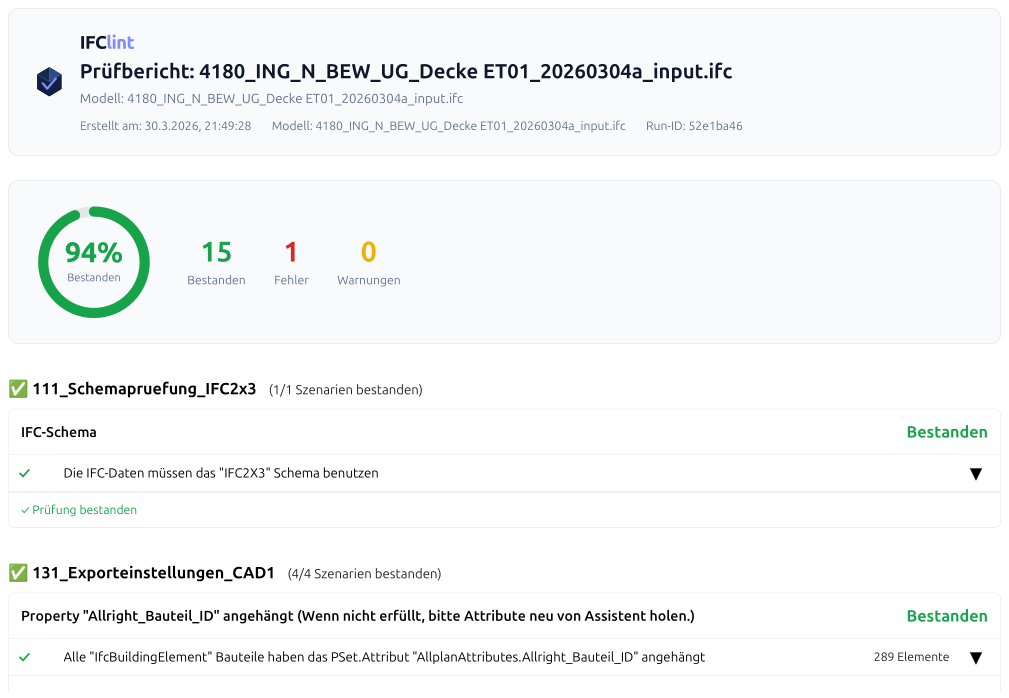
At handover, procurement and model acceptance, what counts is not only that checking happened, but that it is documented. IFCLint turns requirements and standards into an automated, documented record of conformity — for every model delivery, with a traceable audit trail.
The model is not signed off. What is delivered is the documented evidence the approving party relies on.
- Requirements from AIA/BAP become a machine-checkable rule set
- Every delivery runs through the same documented check
- Validation report and BCF as acceptance evidence, ready to archive
- Built and run by civil engineers at Enertec Engineering AG
More than software — the expertise too
Five product-adjacent services: from establishing where an IFC delivery stands, to translating BIM requirements into auditable rules, to evidence-backed enrichment.
Pricing
Flat fee per organization. All team members included, no per-seat billing. 30 days free. Monthly or yearly (10% off), in EUR and CHF.
Free
- ·1 user
- ·1 project
- ·10 uploads (total)
- ·Max. 100 MB / file
- ·500 MB storage
- All check rules (no per-run limit)
- 3D viewer
- BCF export
- IFC editing
- Import and export test catalogs
- Custom test rules
Starter
- ·All team members
- ·25 projects
- ·60 uploads / month
- ·Max. 500 MB / file
- ·5 GB storage
- Invite team members
- Partial model export
- Attribute mapping
Studio
- ·All team members
- ·60 projects
- ·200 uploads / month
- ·Max. 1 GB / file
- ·25 GB storage
Company
- ·All team members
- ·150 projects
- ·500 uploads / month
- ·Max. 2 GB / file
- ·100 GB storage
Enterprise
From €1,500 / month · Unlimited projects, uploads and storage · Custom IDS rule sets · On-prem option · Custom contract · Dedicated infrastructure
Frequently asked questions
Ready to get more out of your models?
Try it free for 30 days. No credit card.
Prefer to talk first? Get in touch